Save notes, links and files on the Save page
Use the + tab to build one save from several parts (a note, a link, photos, a PDF, a voice note), give it a title and file it in a category.
On this page
The + tab in the middle of the bottom bar opens the Save page. Everything you add there becomes one save, made of parts: a note and a video about the same recipe, say, or three photos of a lease and a voice note about it.
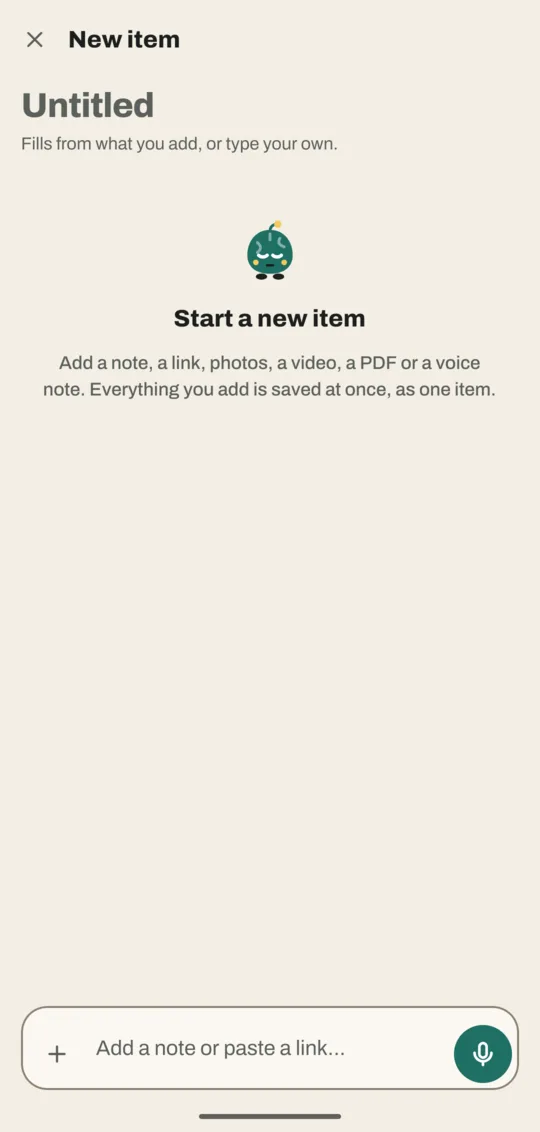
Write a note
- At the bottom, tap the box that says Add a note or paste a link…
- Type your note.
- Tap Add (it takes the mic's place once you type). The note appears as the first part, and the title fills in from it.
Each part is saved the moment you add it. If you close the app halfway, nothing is lost: Home shows an Unfinished card with Continue.
Add a link, photos, a PDF or a voice note
- Paste a link into the same box and tap Add. The part shows Fetching title…, then the real title.
- For anything else, tap the + at the left of the box. A row of four icons opens above it: Gallery (a picture), Camera, Document (a page) and Paste link (a clipboard).
- Tap one: Gallery lets you pick several photos or videos, Camera takes a photo, Document picks a PDF and Paste link adds the link you copied.
- For a voice note, tap the round mic at the right of the box, or hold it to record straight away. See voice notes.
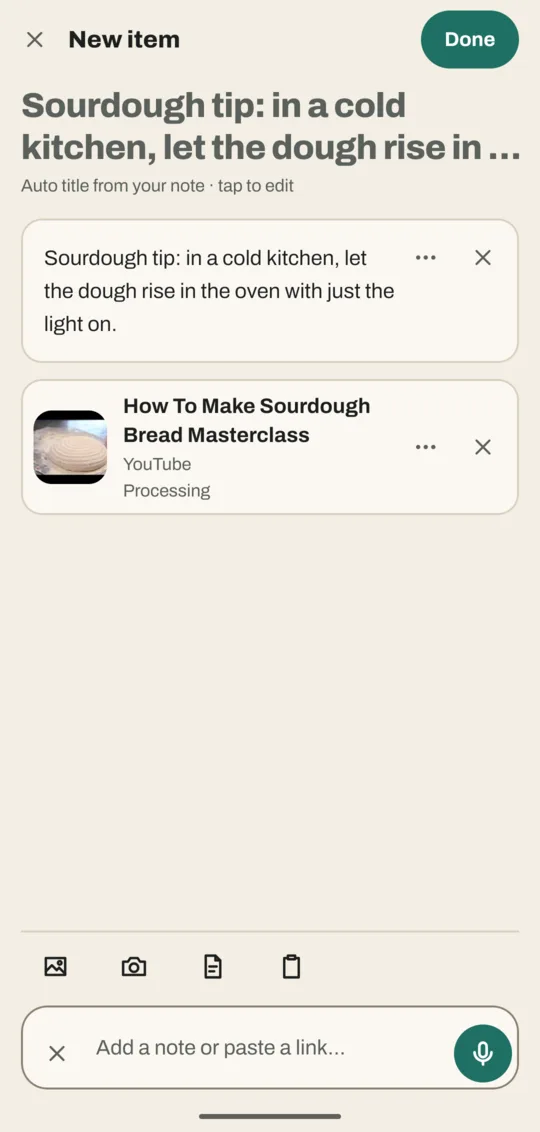
Change the title and the parts
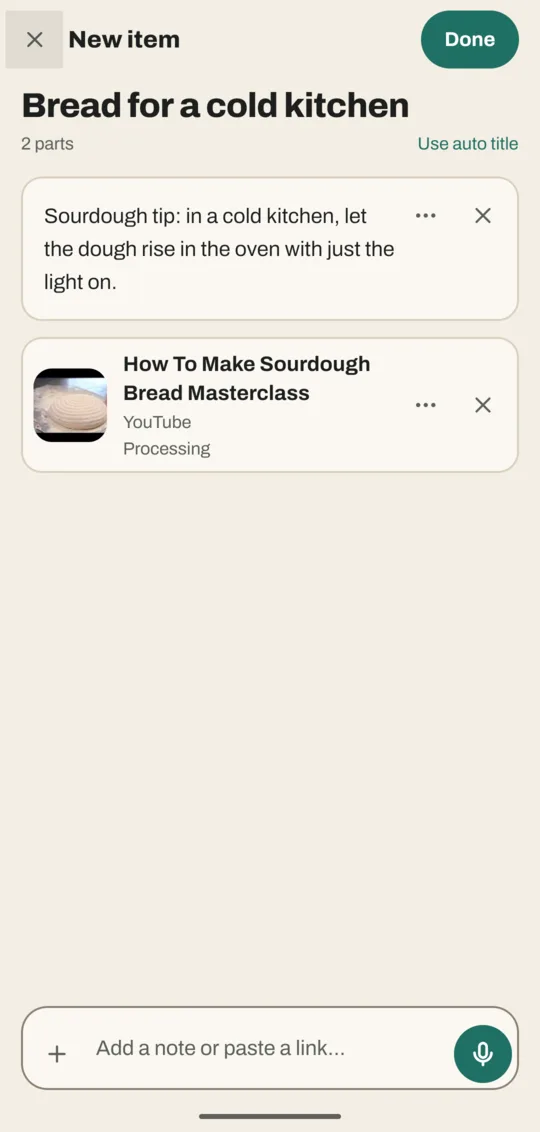
- At the top, tap the title and type your own. Use auto title brings back the automatic one.
- Tap ⋯ on a part (or touch and hold it) for Move up, Move down and Remove.
- Tap × on a part to remove it. Noodle asks first.
- Tap a note part to edit its text.
File it
- At the top, tap Done. The File it sheet opens.
- Tap a category. Noodle's suggestion, if it has one, comes first; More… shows the rest, and New category makes one.
- Tap a suggested tag (the ones with a sparkle) to keep it, or × to dismiss it. Add types your own.
- Tap File in Recipes (the button names the category you picked). The save opens with Filed in Recipes and an Undo button.
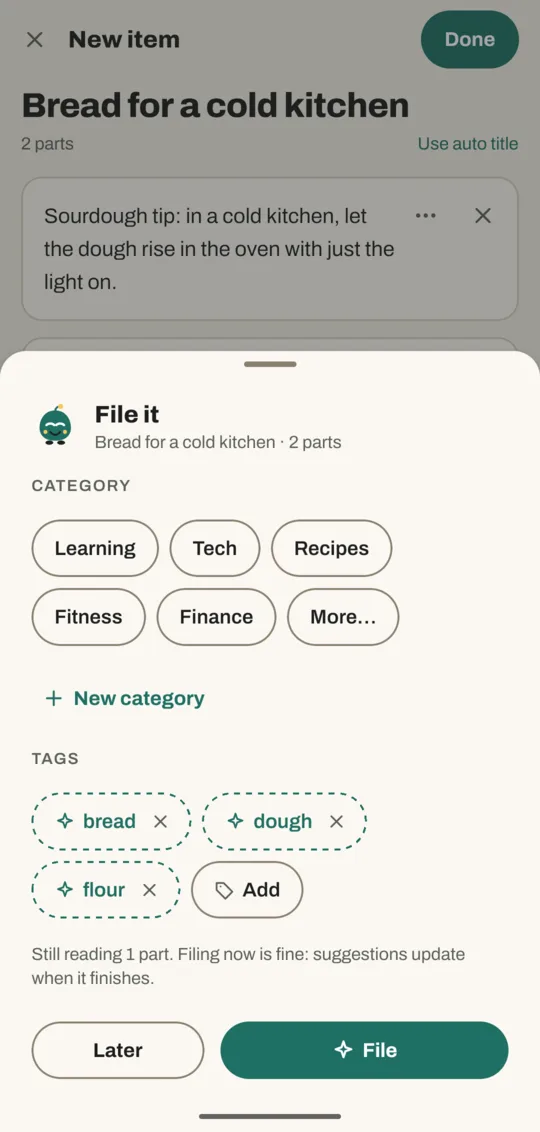
Not sure where it goes? Tap Later. It waits in To organize.
Good to know
- To add to a save you made earlier, open it and tap Add to this item at the bottom. The same page opens as Edit item.
- If you paste a link you've already saved, Noodle says Already saved as and its title, with Dismiss, Open and Add anyway.
- The × at the top left leaves the page. What you added stays saved and waits in To organize.
Don't have Noodle yet?
Free for Android. No sign-up, and everything stays on your phone.