Find your way around Noodle Settings
What each part of the Settings tab does, from your name and languages to the theme, categories, quick capture, the Daily reminder, backup and the advanced screens.
On this page
The Settings tab is the gear at the right of the bottom bar. Most people only visit it to add categories, turn on the Daily reminder or export a backup.
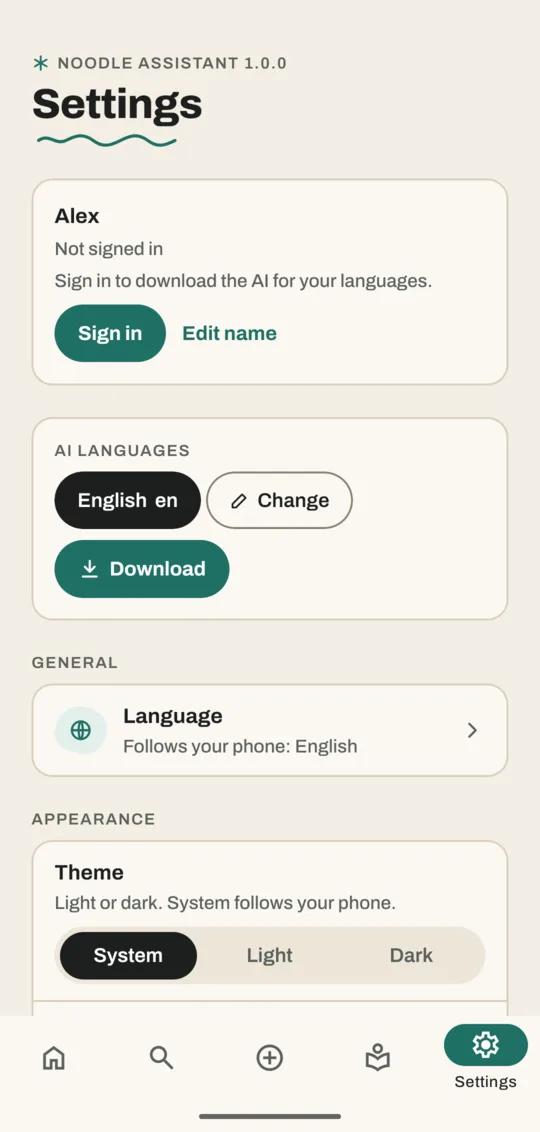
What's in Settings, top to bottom
| Section | What you can do there |
|---|---|
| Your name card | Sign in and Edit name; once signed in, your email, Sign out and Delete account |
| AI languages | See the languages Noodle understands, Change them and download what they need |
| Language | The app's own language (it follows your phone unless you change it) |
| Theme | System, Light or Dark |
| Show Noodle | Hides the mascot everywhere when off |
| Noodle sounds | Short chirps; quiet while your phone is on silent |
| Categories | Add, rename, reorder or delete categories |
| Tags | Rename, merge or delete tags |
| Organizing | Whether Noodle suggests or applies categories and tags |
| Photos & videos | Copy or move from your gallery, folder access, storage |
| Quick capture | Widget, tiles, the capture notification and what happens after sharing |
| Background & reminders | Work while the app is closed and the Daily reminder |
| Reminders | Reminder time, how early to warn before deadlines, finding dates |
| Backup & storage | Export backup, Import backup…, space used |
| Advanced | Downloads, voice notes, translation and Ask Noodle settings |
Turn on the Daily reminder
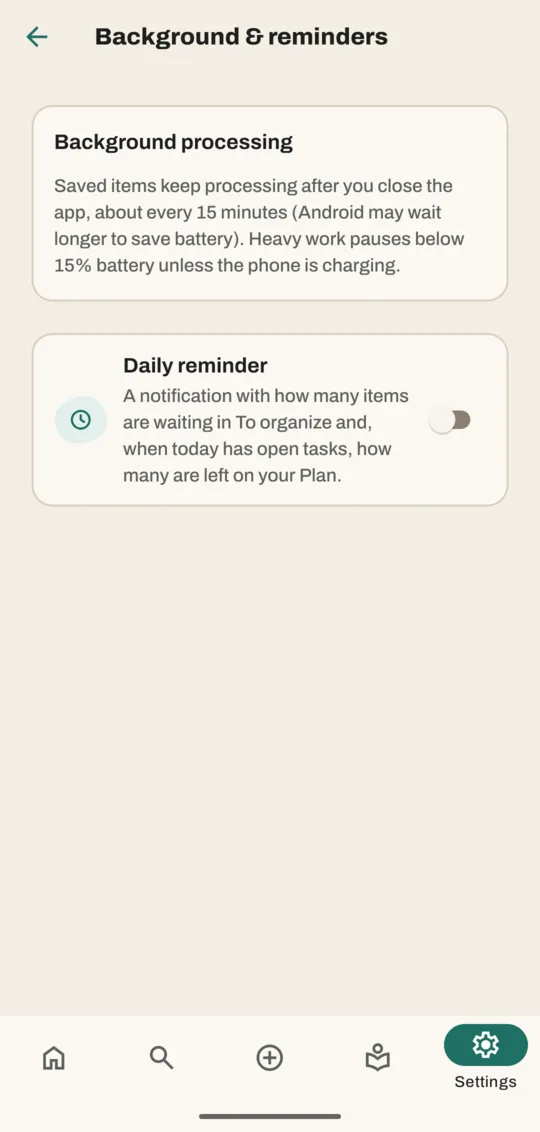
- Go to Settings → Background & reminders.
- Turn on Daily reminder. Allow notifications if Android asks.
- Under Remind me after, which appears once the switch is on, pick another hour if 7 PM doesn't suit you.
Once a day you'll get one notification with how many saves wait in To organize and, when today has open tasks, how many are left in Plan.
Switch to dark mode
- In Settings, find Theme.
- Tap Dark. System follows your phone's setting.
About background processing
Saves keep being read after you close the app, about every 15 minutes. Android may wait longer to save battery, and heavy work pauses below 15% battery unless the phone is charging. If Android restricts Noodle in its battery settings, saves are only read while the app is open.
Good to know
- Nothing in Settings deletes your saves except Import backup…, which replaces your library after asking (and keeps a copy of the old one).
- The Advanced screens are for people who like to tinker. Most people never need them.
Related
Don't have Noodle yet?
Free for Android. No sign-up, and everything stays on your phone.